Since I relaunched my website a little while ago, some folks have commented on the loop of images scrolling round at the top of the home page.

Loads of sites use scrolling images, and there are umpteen plugins and gizmos to magic up some kind of animated doodad like this. I used Electric Carousel, but there are many others out there.
Like everything, it’s easy if you know how. So I’ve put together this thing on how to prepare the pictures for a seemingly seamless picture-roundy-thing. It will assume a working knowledge of Photoshop.
So here’s how:
- Starting out with one of the images you want to include, open it up in Pshop.
- Now go Image>Canvas Size… [Alt+Ctrl+C]
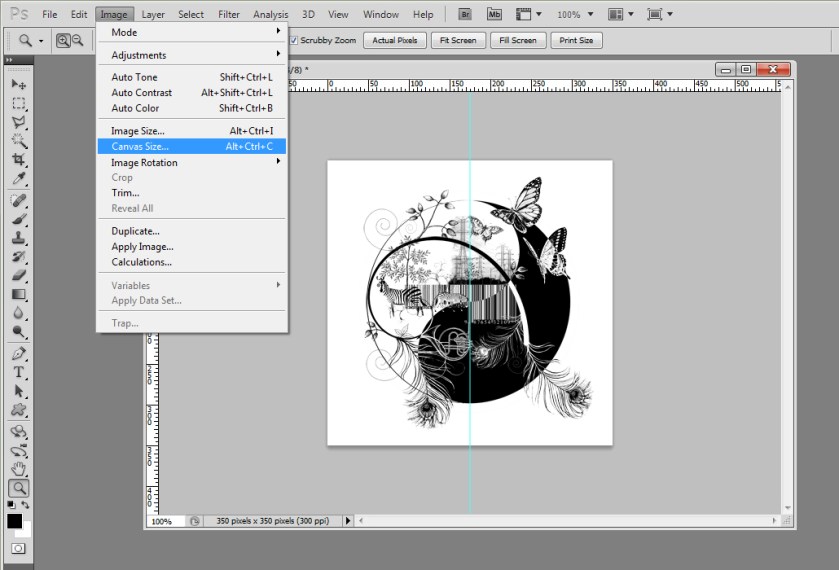
What we’re going to do is put all the images together as a super wide picture like mine up there, then slice them up into separate images again. This’ll make sense again in a few steps time.
In order to do this we want a much wider canvas to work on. For the sake of the screenshots I’ve done 300% width, but in reality I think I did about 1000%. Eyeball it. Use your best judgment. Or actual pixel numbers, if you’re that way inclined.
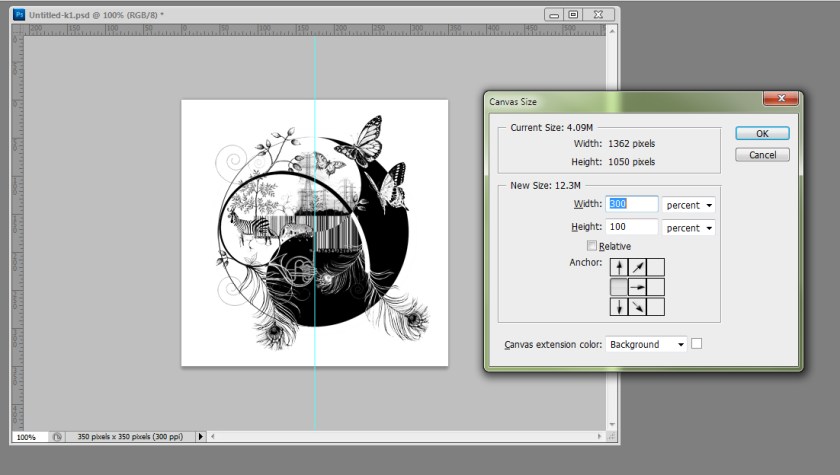
*Be sure to do these things:
- Uncheck ‘Relative’. Otherwise it’ll make it taller as well as wider. We don’t want that.
- Move the anchor point to Mid-Left. We want all our new canvas area on the RHS
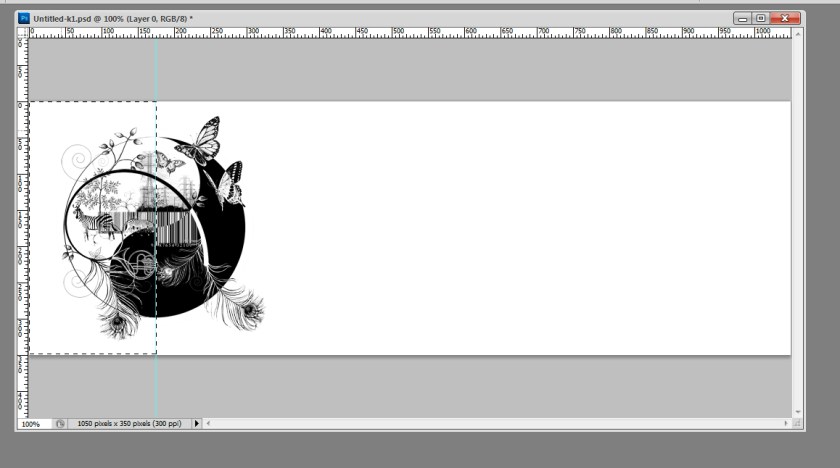
- Using the Rectangular Marquee tool you can select the LHS half of this image and copy to a new layer Layer>New…>Layer via copy [Ctrl+J]
- Drag this new layer over to the RHS.
- Shuffle your original layer to the left until the raw edges meet up and just touch, so you can’t see the join. Zoom right in. You wanna get this bit pixel-perfect. There will be an annoying hiccup if it isn’t bang on.
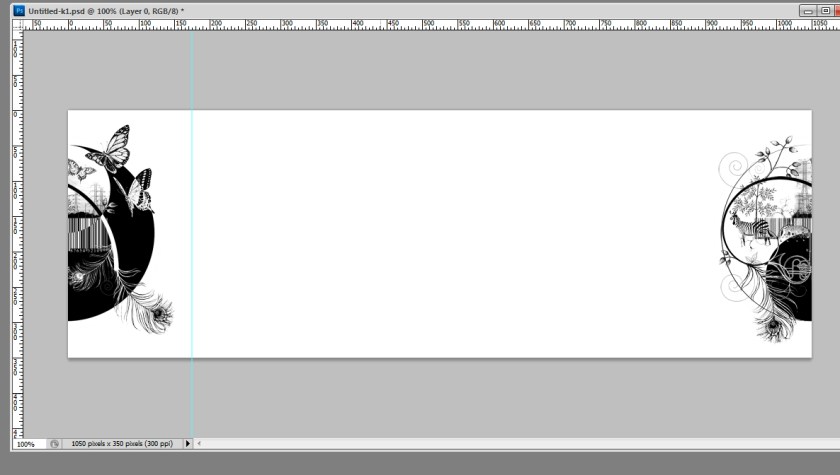
From here you can bring in your other images as new layers and arrange them as you wish. (I haven’t done this, pretend there are more images in the middle of this)
Now to chop it back up into separate images set vertical guides at regular distances across the width of the image. View>New Guide…
Grab the Slice tool and hit Slice From Guides.
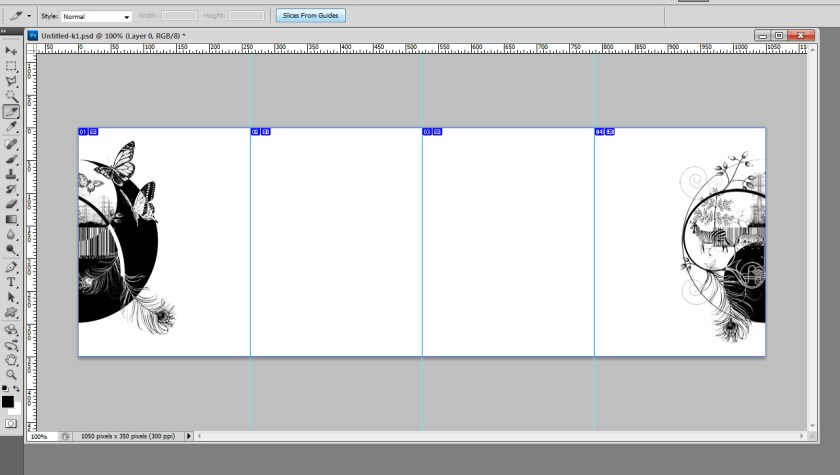
And finally, File>Save For Web & Devices [Shift+Alt+Ctrl+S]
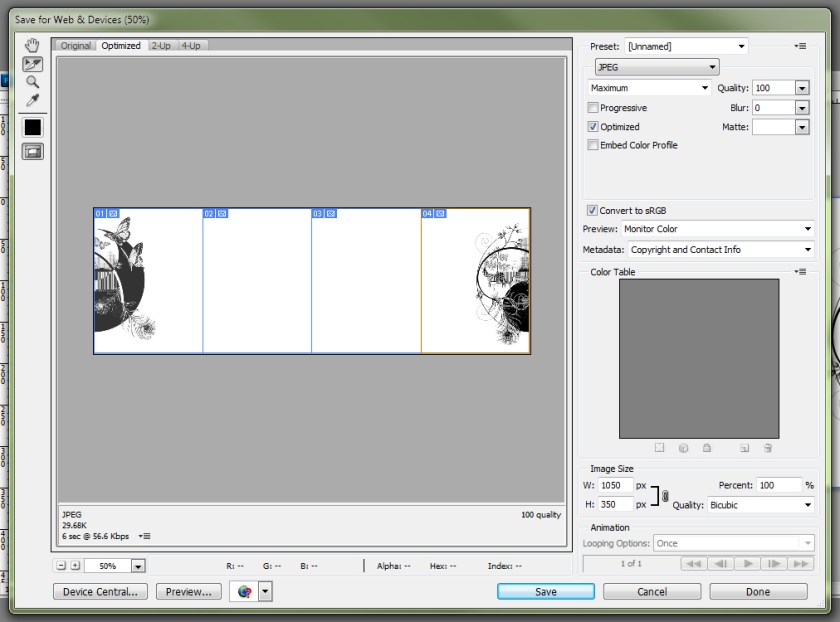
Set your settings where you want them and hit Save
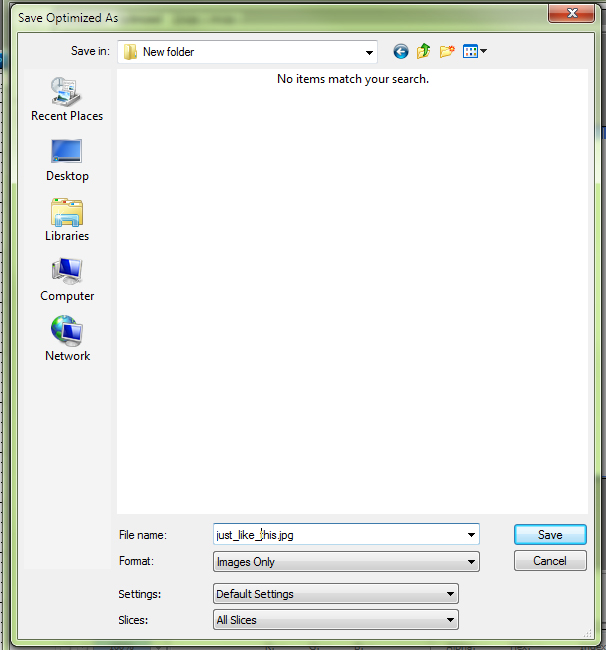
- Give it a great name like scrolly_thing.jpg or RoundAndRoundAndRound.jpg or whatever…
- Be sure it’s showing Format: Images Only & Slices: All Slices in the options
- By the magic of Photoshop you’ll now have a set of lovely images, neatly numbered in a file called ‘images’, ready to load into the whizzy-roundy-thing of your choice.
I hope this is of some use to someone out there – drop me a comment if it is/n’t, or if there’s anything I haven’t explained clearly.


 Mixy's Art Blog